Turn Your Song Into
a Music Video
Upload a track and Clipbeat syncs your lyrics, generates AI visuals and cuts them to the beat. Edit every detail in Studio or let Agent build the first cut from a chat.
50 free credits · No credit card · Runs in your browser
Editing works best in a desktop browser (Chrome or Edge). On your phone? Sign up now and pick it up on your computer.
Export for
 YouTube
 TikTok
'/%3e%3ccircle%20cx='24'%20cy='24'%20r='9'%20fill='none'%20stroke='%23fff'%20stroke-width='3'/%3e%3ccircle%20cx='35'%20cy='13'%20r='2.5'%20fill='%23fff'/%3e%3c/svg%3e) Instagram
InstagramFrom track to video in 3 steps
No video editing experience needed.
Upload your track
Drop an mp3 or wav — made with Suno? Download the song from Suno and upload the file. Lyrics are transcribed and timed automatically.
Add visuals
Generate AI images and shots, search stock footage or add visualizers — in Studio by hand or with Agent by chat.
Export & share
Export in your browser for YouTube, TikTok or Reels, or publish straight to your connected accounts.
Everything a music video needs
Lyrics, visuals, motion and publishing in one place.
Auto lyrics, word by word
Upload your track and Whisper transcribes the lyrics with word-level timing in 50+ languages. Every line stays editable.
AI scenes for every section
Describe a mood and generate images with Flux or Ideogram for each part of your song.
Image to video
Turn stills into short moving shots with Kling or Luma — pro models like Veo 3 on Creator.
Cuts on the beat
Beat detection lines scene changes up with your track so edits land on time.
Audio visualizers
Waveform, frequency-bar and particle visualizers that react to your audio in real time.
Publish directly
Connect YouTube, TikTok and Instagram and post with AI-written titles and hashtags.
What you can make
Lyric video maker
Make a lyric video from your song: automatic transcription with word-level timing, three lyric styles and AI backgrounds. Start free with 50 credits.
Learn moreMusic visualizer
Turn a track into an audio-reactive visualizer video: frequency bars and spectrum presets, AI backgrounds and synced lyrics. Export in your browser.
Learn moreSpotify Canvas maker
Create a short vertical loop for Spotify Canvas: AI images and video shots, 9:16 export and short-section export from your track. Start with 50 free credits.
Learn moreAI music video generator
Generate a music video from your song with AI: scene planning, AI images and video shots, synced lyrics and cuts on the beat. Start free with 50 credits.
Learn moreSuno to music video
Download your Suno song, upload it and get a music video: synced lyrics, AI scenes, beat-synced cuts for YouTube, TikTok and Reels. 50 free credits.
Learn moreChoose your creative path
Hands-on editing or chat-based automation — same account, same credits.
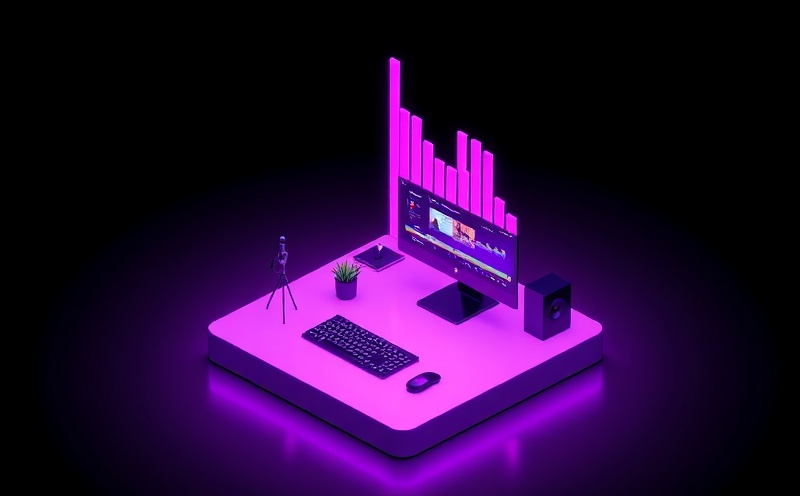
Studio
Full video editorMulti-track timeline with synced lyrics, AI images and video shots, visualizers and stock footage. For artists who want control over every cut.
Agent
Chat-based video builderDescribe the video you want. Agent plans the scenes, generates the images and shots, and assembles a first cut you can refine.
Also in development: Live — automated 24/7 music streams for YouTube. Not available yet.
50 free credits to make your first video
50 credits ≈ auto lyrics + 10 AI images (Flux Dev) + 3 AI video shots. No credit card. Need more? Credit packs start at $5, or go Indie for 1080p without watermark.
The models behind your video
Leading AI models and stock libraries, in one editor.

Whisper
Lyrics transcription

Flux
Image generation
Kling
Image to video

MiniMax
AI music & voice

Pexels
Stock media

Pixabay
Stock media
Your music stays yours
We only process your audio to transcribe lyrics and build your video. Exports render in your browser, and you decide what gets published.
Frequently Asked Questions
Straight answers before you sign up
What's the difference between Studio and Agent?
Studio is a full editor with a timeline — you control every cut, lyric and visual. Agent builds a first version from a chat: describe the video and it plans scenes and generates the visuals. You can start in Agent and fine-tune in Studio.
Is it free?
You can start free: every new account gets 50 credits, no credit card needed. Free exports are 720p with a small watermark, with no limit on length or number of exports. When you need more, buy a credit pack from $5 or upgrade to Indie ($12/mo) for 1080p without watermark.
What can I make with 50 free credits?
50 credits ≈ auto lyrics + 10 AI images (Flux Dev) + 3 AI video shots. Exporting in your browser never uses credits.
How accurate is the lyrics transcription?
Whisper handles clear vocals very well in 50+ languages. Heavily processed or buried vocals can need a few manual fixes — every line and word timing is editable in the editor.
Who owns the videos I make?
You do. You need the rights to the music and media you upload. If your song was made with Suno or another AI music tool, check that tool's terms for what you are allowed to publish or monetize.
What happens to my files?
Your audio is uploaded so we can transcribe it, and projects sync to your account so you can continue on another device. Video export runs in your browser. We use analytics cookies only if you allow them. Details are in our Privacy Policy.
Can I use my own API keys?
Yes, as an advanced option: add your own fal.ai or OpenRouter key in Settings and those calls are billed by the provider instead of using Clipbeat credits. Most people never need this — credits just work.
Can I upload directly to social media?
Yes. Connect YouTube, TikTok and Instagram in Settings and publish from the export screen with AI-suggested titles, descriptions and hashtags.
Ready to make
your next video?
Upload a song and see your lyrics on screen in minutes.
Start free — 50 credits50 free credits · No credit card · Runs in your browser